This steelseries apex pro gen 3 review looks at a wired tenkeyless keyboard built around adjustable magnetic switches and quick-access gaming features.
It is aimed at players who want to tune key response and configure rapid input behavior for different games.
Apex Pro TKL Review Summary
The quick verdict
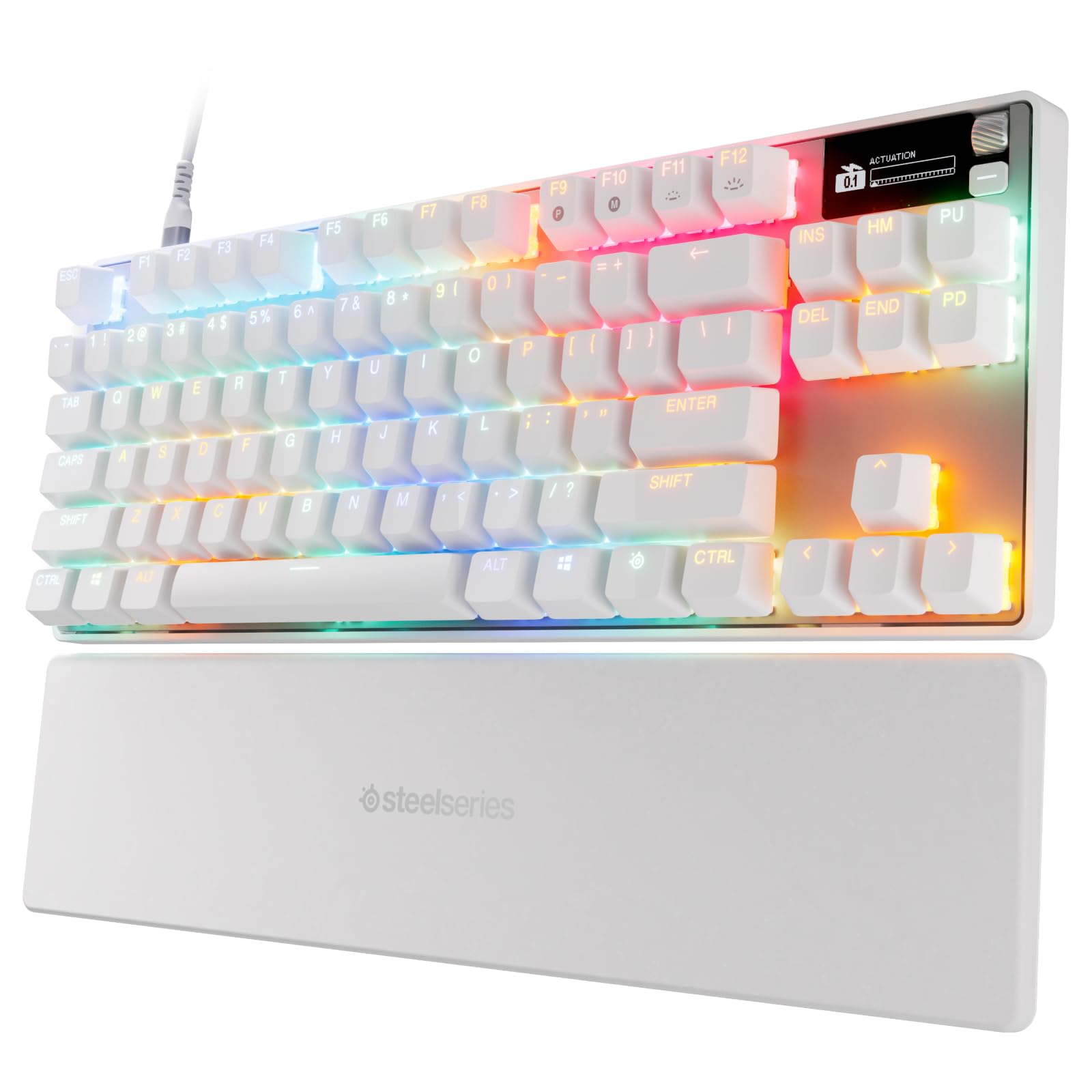
500+ ratings
Read Amazon ReviewsSteelSeries Apex Pro TKL Gen 3
A feature-rich tenkeyless keyboard for competitive players who want adjustable actuation, rapid input features, and onboard controls.
- OmniPoint 3.0 Hall Effect magnetic switches with 40 adjustable actuation levels, ranging from 0.1 mm to 4.0 mm.
- Rapid Trigger resets a key when it is released, supporting a quick next press.
- Rapid Tap prioritizes the latest key press, a feature designed for responsive strafing and dodging.
- Protection Mode is described as reducing accidental presses on nearby keys.

Pros
- Wide actuation adjustment makes it possible to tune how far keys travel before registering.
- Rapid Trigger and Rapid Tap add input options for games where repeated presses or direction changes matter.
Consider before buying
- The specialized rapid-input features and actuation tuning may offer little value if you do not plan to configure them.
- A tenkeyless layout omits the dedicated number-pad area, so consider whether your work or play relies on it.
Read the full review summary
The Apex Pro TKL Gen 3 combines OmniPoint 3.0 Hall Effect switches, adjustable actuation, Rapid Trigger, Rapid Tap, and Protection Mode in a compact layout.
Quickset Auto-Presets are designed to launch configurations when a game loads, while the OLED display lets you change settings directly on the keyboard and keep configurations onboard.
Its strongest appeal is the amount of response customization packed into a gaming-focused TKL design.
The tradeoff is that its specialized controls and configurable switches are most useful to players who will spend time tailoring them; if you mainly want a quiet, straightforward board, much of this feature set may not matter to you.
The buying factors
Apex Pro TKL Scorecard
Editorial scores reflect listed features and buyer fit; they are not laboratory measurements or customer ratings.
Switch adjustability
OmniPoint 3.0 offers 40 actuation levels from 0.1 mm to 4.0 mm, giving players substantial room to tune key response.
Rapid input features
Rapid Trigger and Rapid Tap are designed to support fast repeated inputs and movement, with Protection Mode also available to reduce nearby-key presses.
Onboard controls
The OLED display supports direct setting changes, and configurations stay saved onboard.
Game setup convenience
Quickset Auto-Presets can auto-launch configurations when a game loads, which may reduce manual switching.
Competitive focus
Its adjustable magnetic switches and rapid input options clearly target players who want to customize their controls for games.
Everyday simplicity
The extensive configuration choices can be useful, but may be unnecessary for buyers who want a basic keyboard experience.
Key Features and Specifications of Apex Pro TKL
- OmniPoint 3.0 Hall Effect magnetic switches with 40 adjustable actuation levels, ranging from 0.1 mm to 4.0 mm.
- Rapid Trigger resets a key when it is released, supporting a quick next press.
- Rapid Tap prioritizes the latest key press, a feature designed for responsive strafing and dodging.
- Protection Mode is described as reducing accidental presses on nearby keys.
- Quickset Auto-Presets can auto-launch game configurations when a game loads.
- An OLED smart display allows settings changes from the keyboard, and configurations are saved onboard.
- The keyboard uses a tenkeyless layout, PBT keycaps, RGB lighting, and a USB-C connection.
Pros and Cons of Apex Pro TKL
Pros
- Wide actuation adjustment makes it possible to tune how far keys travel before registering.
- Rapid Trigger and Rapid Tap add input options for games where repeated presses or direction changes matter.
- Onboard OLED controls and saved configurations reduce the need to leave a game to adjust settings.
- Quickset Auto-Presets are designed to make game-specific configuration more convenient.
Consider before buying
- The specialized rapid-input features and actuation tuning may offer little value if you do not plan to configure them.
- A tenkeyless layout omits the dedicated number-pad area, so consider whether your work or play relies on it.
- The description does not detail the included software setup; check that its configuration flow fits your system before buying.
Who Should Buy Apex Pro TKL?
Good fit
Consider the Apex Pro TKL Gen 3 if you play competitive games and want to tailor actuation instead of relying on a single fixed response point.
Its 40-level adjustment range gives you options for setting a lighter or deeper trigger point across your setup, while Rapid Trigger is designed to reset as soon as a key is released.
It is also a strong fit if you want multiple game configurations without navigating away from play. Quickset Auto-Presets can launch presets with games, and the OLED display provides direct access to keyboard settings.
The saved onboard configurations suit players who prefer the keyboard to retain their setup.
Before choosing it, make sure the TKL layout works for your desk and daily tasks, and consider whether you will use the advanced input features enough to justify choosing a more specialized gaming board.
The switch adjustment range is a practical draw when you have a clear preference or want to experiment; if you would leave everything at default, its main differentiator may go unused.
Who should skip it
Skip it if you need a dedicated number pad as part of your regular workflow; a tenkeyless layout may not suit that routine.
It may be a poor fit if you want a simple keyboard and have no interest in changing actuation or setting game-specific rapid-input behavior.
Consider whether onboard configuration and the OLED controls matter to you before paying for a feature-rich design.
How the Apex Pro TKL Gen 3 Fits Competitive Play
Adjustable actuation gives you room to tune
The 40 actuation levels span 0.1 mm to 4.0 mm, letting you choose how far a key must travel before it registers.
That range can help players tailor the feel of different actions, but it also means you may need to experiment to settle on settings that feel natural.
Buyers who prefer a fixed, uncomplicated response may not benefit from having so many adjustment points.
Rapid Trigger and Rapid Tap address repeated inputs
Rapid Trigger resets when a key is released, while Rapid Tap prioritizes the latest key press. Those behaviors are intended to help with quick repeated actions and directional changes in games.
Their value depends on the games you play and how you prefer to control movement, so treat them as configuration tools rather than automatic improvements to every player's performance.
Presets and OLED controls reduce setup friction
Quickset Auto-Presets are designed to launch configurations when a game loads, and the OLED display allows direct setting changes from the keyboard. Together, those features make per-game tuning more accessible, especially if you switch between different setups.
The onboard saved configurations also mean you can retain settings on the keyboard; check the setup process and compatibility for your system before relying on automatic game switching.
The TKL layout is a deliberate space tradeoff
A tenkeyless keyboard keeps the dedicated number-pad area off the board, which may suit a compact gaming setup or leave more room for mouse movement.
That same layout can be inconvenient for frequent number entry or workflows built around a numpad. Confirm that your usual tasks fit the layout before buying.
Alternatives to Apex Pro TKL
Computer Keyboards alternative
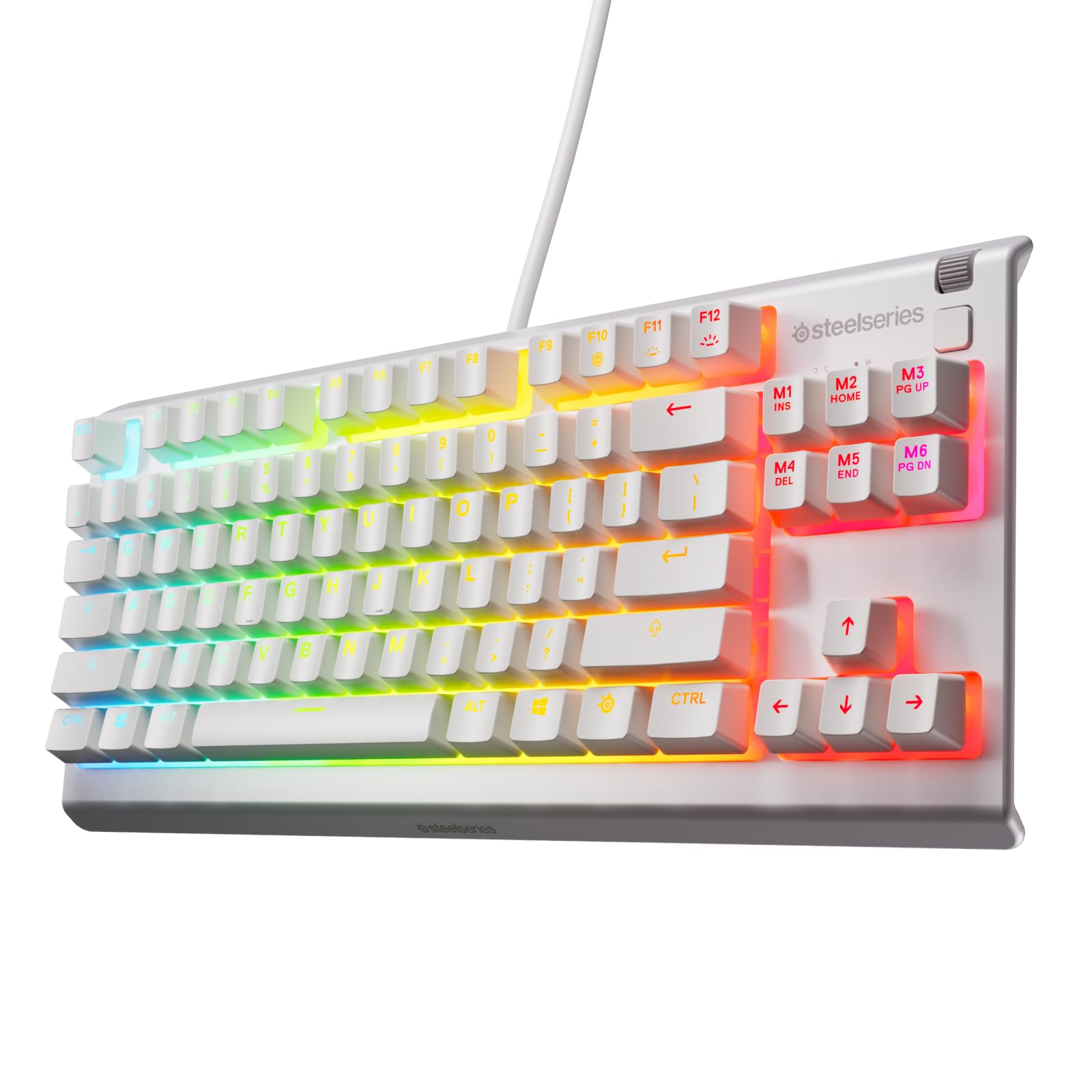
2,000+ ratings
Read Amazon ReviewsSteelSeries Apex 3 TKL
Choose the Apex Pro TKL Gen 3 if adjustable actuation and rapid input features are central to your gaming setup.
The Apex 3 TKL is a more straightforward compact option if quiet switches and its stated resistance features matter more than magnetic switch tuning.
- The Apex 3 TKL uses whisper-quiet gaming switches, has anti-ghosting keys and 8-zone RGB illumination, and is described as water and dust resistant.
- The Apex Pro TKL Gen 3 offers adjustable OmniPoint magnetic switches, Rapid Trigger, Rapid Tap, Protection Mode, and an OLED display.
Computer Keyboards alternative
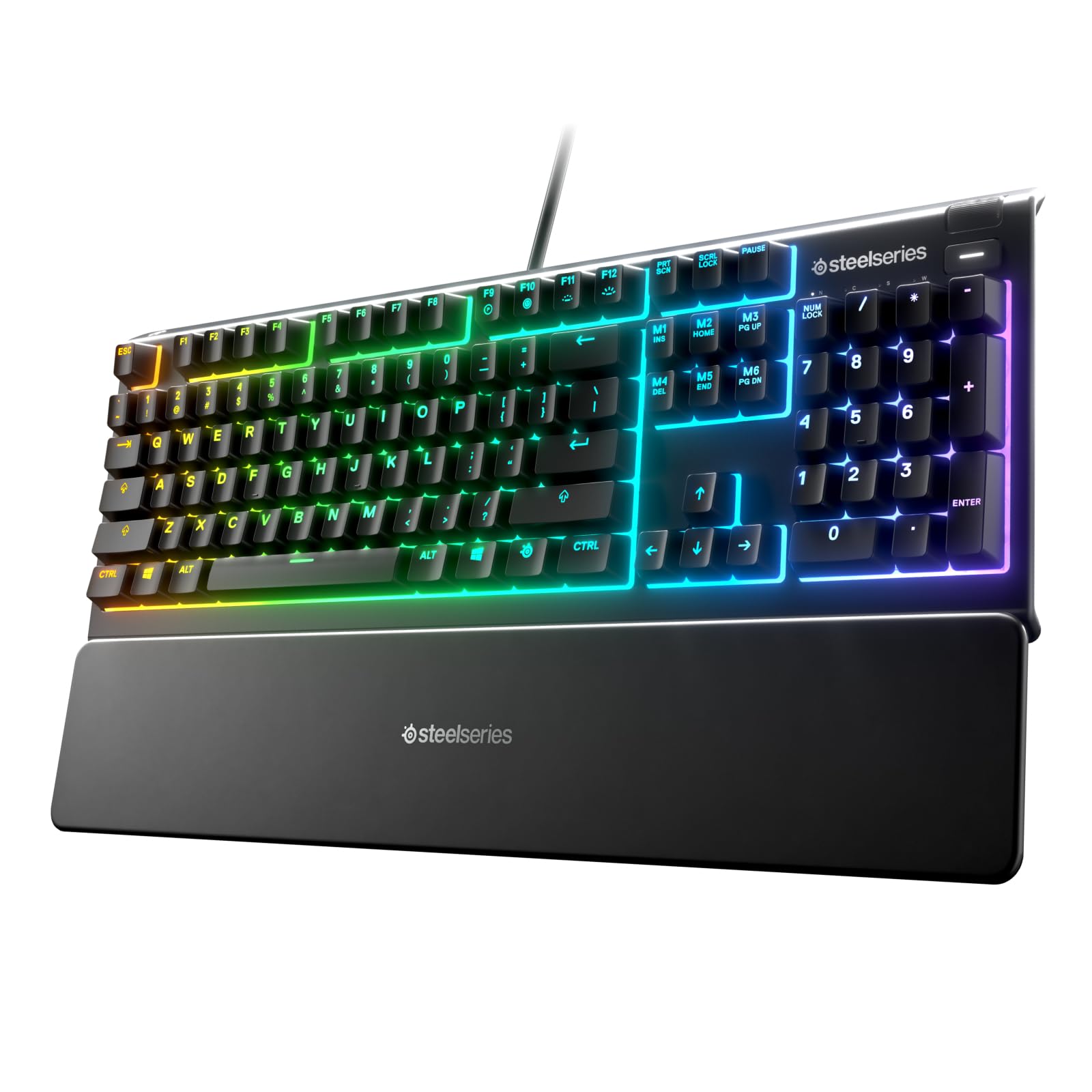
8,000+ ratings
Read Amazon ReviewsSteelSeries Apex 3
The Apex Pro TKL Gen 3 is the more specialized choice for players who want adjustable actuation and game-focused input settings.
Consider the Apex 3 if you prefer a full-size layout with dedicated multimedia controls and a wrist rest, and do not need the Pro model's switch adjustment features.
- The Apex 3 has whisper-quiet gaming switches, 10-zone RGB illumination, dedicated multimedia controls, and a magnetic wrist rest. It is described as IP32 water resistant.
- The Apex Pro TKL Gen 3 pairs adjustable magnetic switches and rapid input modes with a tenkeyless layout.
Is Apex Pro TKL Worth It?
The SteelSeries Apex Pro TKL Gen 3 is worth considering if you want a compact gaming keyboard with extensive actuation adjustment, rapid input features, and onboard configuration.
Its appeal is clearest for players who will customize the switches and use different game setups.
Check that the tenkeyless layout suits your daily use and that you value the advanced controls before buying.
If those fit, the combination of OmniPoint 3.0 switches, Quickset presets, and OLED adjustments makes this a compelling option for a highly configurable gaming setup.
Your review at a glance
500+ ratings
Read Amazon ReviewsSteelSeries Apex Pro TKL Gen 3
A feature-rich tenkeyless keyboard for competitive players who want adjustable actuation, rapid input features, and onboard controls.
- OmniPoint 3.0 Hall Effect magnetic switches with 40 adjustable actuation levels, ranging from 0.1 mm to 4.0 mm.
- Rapid Trigger resets a key when it is released, supporting a quick next press.
- Rapid Tap prioritizes the latest key press, a feature designed for responsive strafing and dodging.
- Protection Mode is described as reducing accidental presses on nearby keys.