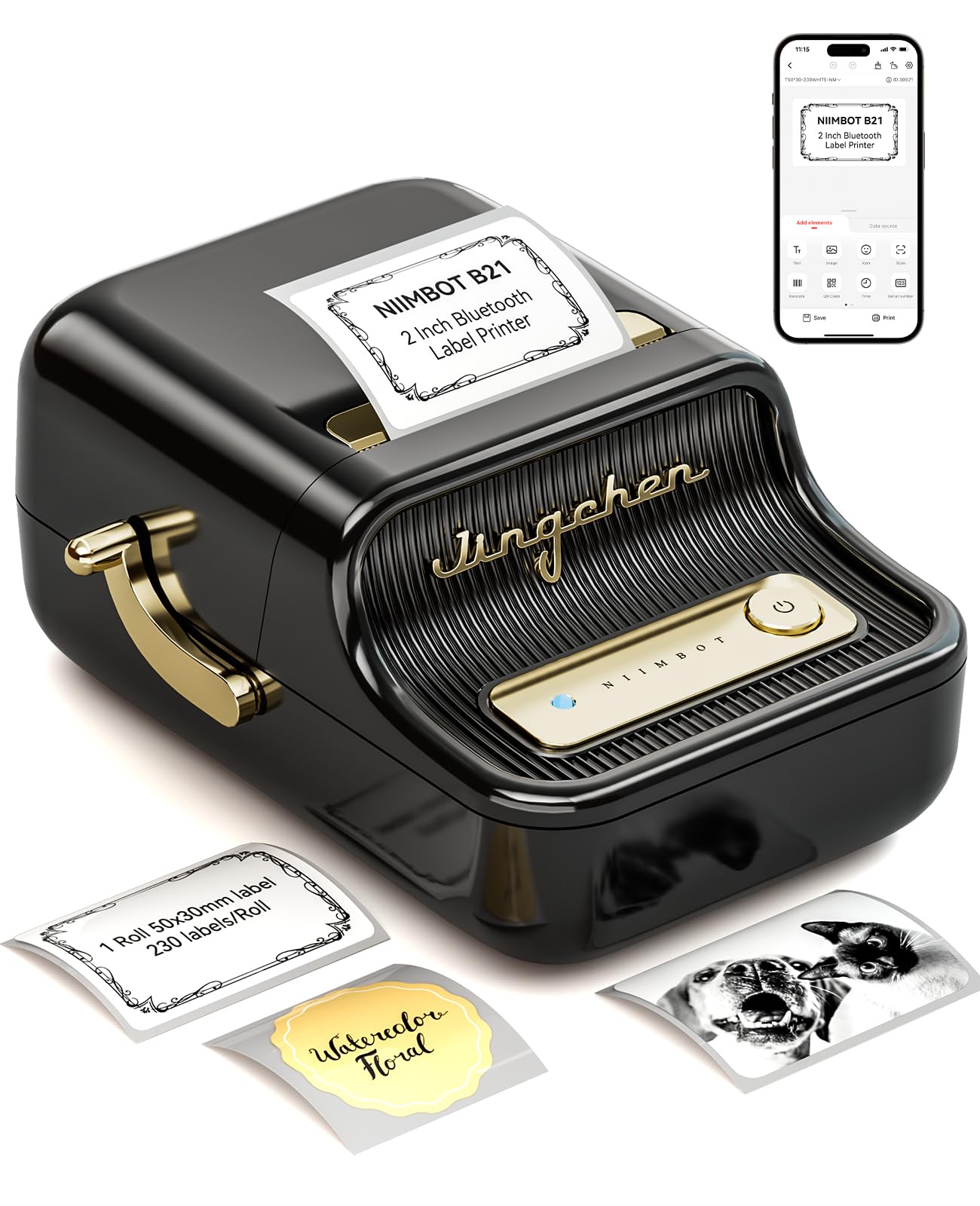
The NIIMBOT B21 is a Bluetooth thermal label printer built for people who want to make everything from jar labels to barcode and price tags with a phone.
This review niimbot b21 looks at its flexible label width, app tools, and the workflow tradeoffs to consider before buying.
NIIMBOT B21 Review Summary
The quick verdict
1,000+ ratings
Read Amazon ReviewsNIIMBOT B21
A good fit for home organizers and small sellers who want flexible label widths, app-based design tools, and batch printing from a phone.
- Prints thermal labels in widths from 0.8 to 2 inches.
- Connects to the NIIMBOT app through Bluetooth for label creation and printing.
- App tools include automatic template matching, image recognition, 20+ fonts, and 1,000+ image materials.
- Supports Excel batch printing and scanning and identifying 1D and 2D codes.

Pros
- Wide label support suits varied tasks, from small product tags to wider address and information labels.
- Batch printing and code tools are useful for repeat labeling in small retail, craft, and inventory work.
Consider before buying
- The workflow centers on creating and printing labels in the phone app, which may not suit buyers who prefer designing on a computer.
- The maximum two-inch label width is intended for smaller labeling jobs rather than standard wide shipping labels.
Read the full review summary
The B21’s broad 0.8–2 inch label range gives it room for both compact identification labels and more substantial product or address labels.
Its NIIMBOT app adds templates, fonts, image materials, image recognition, Excel batch printing, and support for scanning and identifying 1D and 2D codes, making it a capable choice for projects that mix creative layouts with repeat work.
It is best suited to home organizers, crafters, and small businesses that are comfortable designing and sending jobs from a phone over Bluetooth.
Thermal printing avoids ink, toner, and ribbon purchases, while the rechargeable battery is described as supporting up to four hours of work.
Buyers who rely on computer-centered label workflows or need broad shipping labels should check that the B21’s phone-first, two-inch format matches their routine.
The buying factors
NIIMBOT B21 Scorecard
Editorial scores reflect listed features and buyer fit; they are not laboratory measurements or customer ratings.
Label size flexibility
The supported 0.8–2 inch width range covers a useful spread of compact and wider specialty labels.
App design tools
The app combines templates, fonts, image materials, image recognition, and adjustable content placement.
Repeat-job support
Excel batch printing and code scanning can help with recurring product and inventory labels.
Running-cost simplicity
Direct thermal printing avoids ink, toner, and carbon tape, though label paper remains a consumable.
Portability
Bluetooth and a rechargeable battery make mobile use practical, with up to four hours of work per charge described.
Computer workflow fit
The product details emphasize Bluetooth printing through the app, so computer-based workflows deserve a compatibility check.
Key Features and Specifications of NIIMBOT B21
- Prints thermal labels in widths from 0.8 to 2 inches.
- Connects to the NIIMBOT app through Bluetooth for label creation and printing.
- App tools include automatic template matching, image recognition, 20+ fonts, and 1,000+ image materials.
- Supports Excel batch printing and scanning and identifying 1D and 2D codes.
- Can convert text in photos into editable text through the app’s image recognition feature.
- Uses thermal printing, so it does not require ink, toner, or carbon tape; the rechargeable battery is described as supporting up to four hours of work.
Pros and Cons of NIIMBOT B21
Pros
- Wide label support suits varied tasks, from small product tags to wider address and information labels.
- Batch printing and code tools are useful for repeat labeling in small retail, craft, and inventory work.
- A large selection of fonts and image materials helps users customize label layouts in the app.
- Thermal printing keeps the printer’s supply needs focused on replacement label paper.
Consider before buying
- The workflow centers on creating and printing labels in the phone app, which may not suit buyers who prefer designing on a computer.
- The maximum two-inch label width is intended for smaller labeling jobs rather than standard wide shipping labels.
- The up-to-four-hour battery estimate may be limiting for long sessions away from a charging option.
Who Should Buy NIIMBOT B21?
Good fit
Consider the NIIMBOT B21 if you regularly make different kinds of labels and want to switch between narrow and wider formats without moving to a large shipping-label printer.
Its range of app tools is especially relevant for sellers or makers who need both custom designs and batches of similar labels.
It also makes sense for home use when you want labels for jars, storage, gifts, or mail and prefer a rechargeable Bluetooth device.
Before buying, confirm that the label widths you plan to use fall within 0.8–2 inches and that managing jobs through the NIIMBOT app suits your setup.
Who should skip it
Choose another format if your routine depends on printing standard wide shipping labels; the B21 supports label widths only up to two inches.
Look elsewhere if you need a computer-led design and printing process. The product details focus on Bluetooth connection and app-based creation, so check your intended device workflow before choosing it.
How the NIIMBOT B21 Fits Everyday Labeling
Flexible widths for mixed projects
A 0.8–2 inch range gives the B21 a versatile middle ground: it can handle smaller identification labels as well as wider labels with more room for details.
That makes it relevant to households and small sellers whose needs span storage, crafts, jewelry, and retail rather than one specialized label size.
App features for designed and repeated work
The app combines creative controls with tools that can reduce repeated entry. Fonts and image materials support custom designs, while Excel batch printing and code scanning are aimed at users who need to produce sets of labels.
These features are most useful when the phone-based workflow fits naturally into the task.
Thermal printing and battery use
Direct thermal printing removes ink, toner, and ribbon from the supply list, leaving replacement label paper as the described consumable.
The rechargeable battery is specified for up to four hours of work, which suggests portability for shorter sessions; buyers with longer jobs can plan around access to charging.
Choosing the right printer category
The B21 is a compact label maker for small-format labels, not a broad shipping-label solution. Its value depends on whether its two-inch maximum and app-based design process match the labels and devices already in your routine.
Alternatives to NIIMBOT B21
Desktop Label Printers alternative
6,000+ ratings
Read Amazon ReviewsPhomemo M110 Label Maker
Compare the two if you want a similarly broad small-label format.
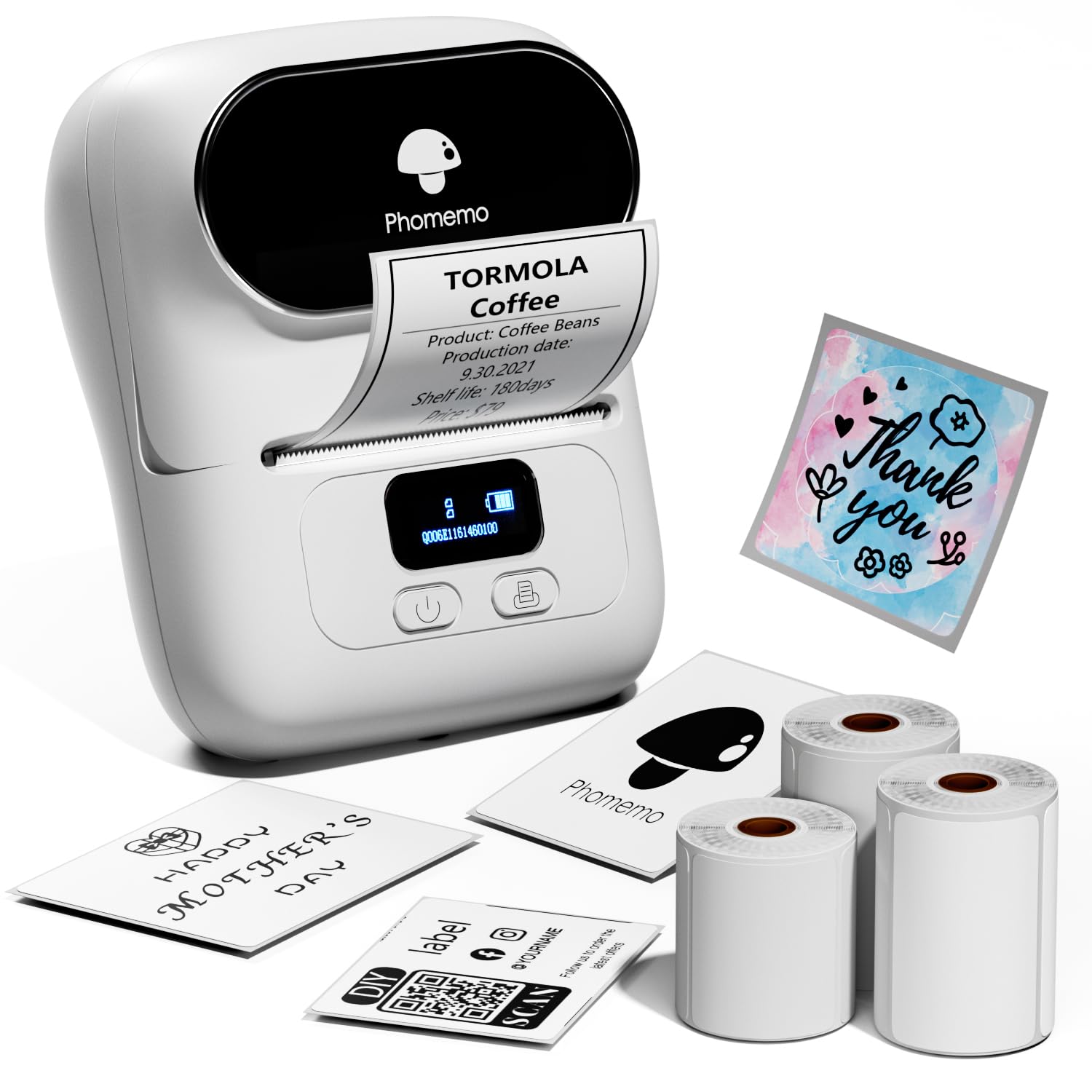
The M110 may suit buyers who specifically want the described clear-label and repeated-printing options; the B21 is a stronger fit when its photo text recognition and code-scanning tools matter more.
- The Phomemo M110 supports 20–50 mm label widths, prints monochrome thermal labels, and is described as compatible with Android and iOS through its app.
- The supplied details also mention clear labels and repeated printing.
- The NIIMBOT B21 supports labels from 0.8 to 2 inches and offers app features including image recognition and Excel batch printing.
Desktop Label Printers alternative
24,000+ ratings
Read Amazon ReviewsNelko P21 Label Maker
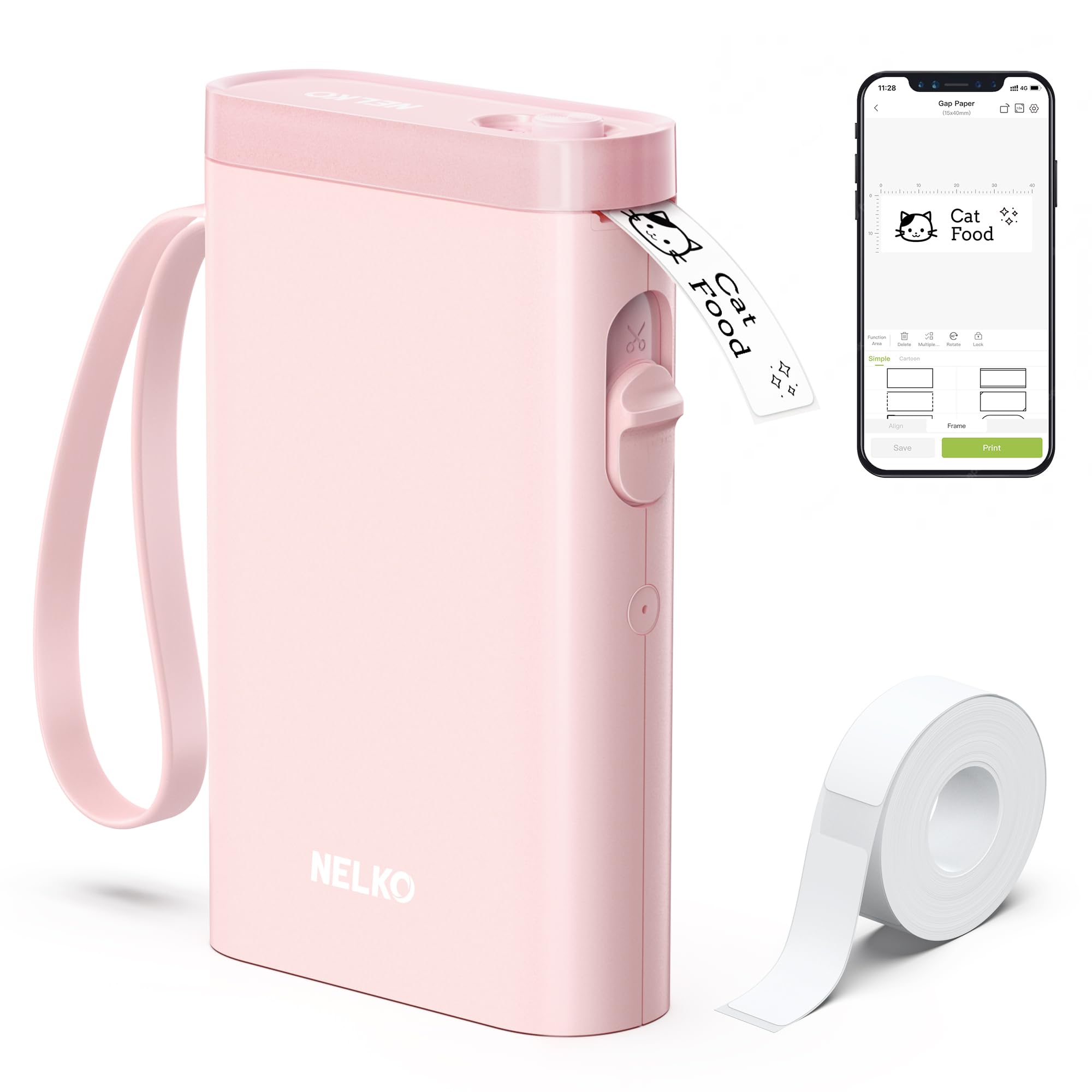
The P21 may suit buyers who want a smaller, fixed-format label maker for everyday home, school, or office organization. The B21 is the more flexible choice for varied label widths and batch-oriented work.
- The Nelko P21 is a compact Bluetooth label maker for phone use with fixed-length labels, monochrome printing, and an app offering templates, icons, borders, and materials.
- Its details say continuous label tapes are not supported.
- The NIIMBOT B21 supports label widths up to 2 inches and includes Excel batch printing and image recognition in its app.
Is NIIMBOT B21 Worth It?
The NIIMBOT B21 is worth considering for phone-first users who need a flexible small-label printer with design tools and support for repeated jobs.
Its 0.8–2 inch range and thermal printing cover a useful mix of home and small-business labeling.
Buy it if the app workflow, label sizes, and up-to-four-hour battery estimate align with your plans.
If you need standard shipping labels or prefer to design and print from a computer, choose a printer built around that workflow instead.
Your review at a glance
1,000+ ratings
Read Amazon ReviewsNIIMBOT B21
A good fit for home organizers and small sellers who want flexible label widths, app-based design tools, and batch printing from a phone.
- Prints thermal labels in widths from 0.8 to 2 inches.
- Connects to the NIIMBOT app through Bluetooth for label creation and printing.
- App tools include automatic template matching, image recognition, 20+ fonts, and 1,000+ image materials.
- Supports Excel batch printing and scanning and identifying 1D and 2D codes.